Control YouTube, Netflix & More with Media Remote

March 31, 2026 in What's New

Media Remote in Remote Mouse has been quietly upgraded. The interface hasn’t changed, but what it can control has expanded a lot.

Before, it mainly worked with a few desktop apps like VLC, iTunes, and presentation tools like Keynote or PowerPoint. Now, it works across desktop players, browsers, streaming platforms in a much more flexible way.

1. Browser Video
The biggest change is how Media Remote works in the browser. You can now control videos on platforms like:

  • YouTube
  • Netflix
  • Disney+
  • Prime Video
  • Bilibili
  • Twitch

Open any video, and it just works. No extra setup required. Behind the scenes, Remote Mouse detects the active video player, automatically focuses it, and sends the right control commands.

2. Desktop Media
Local apps are still the most stable scenario, and they remain supported. Common players include:

  • VLC
  • IINA
  • Spotify
  • iTunes
  • Infuse

Playback, pause, and volume control are handled directly, responsiveness is consistent and predictable.

3. Presentations
Presentation support for Keynote and PowerPoint remains unchanged. You can move between slides and toggle black or white screen when needed.

4. Volume Buttons
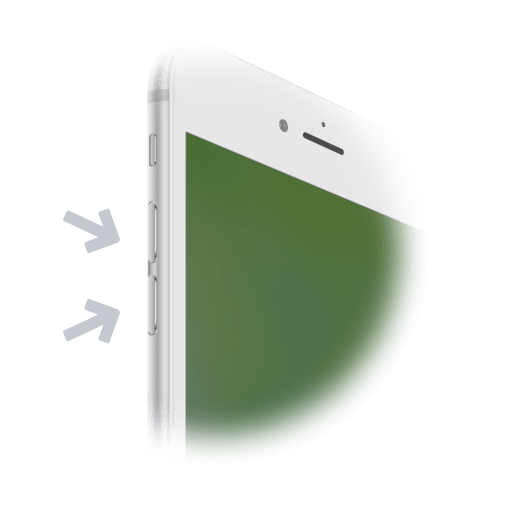
Your phone’s volume buttons can act as controls, depending on what you’re doing, they can:

  • Adjust system volume
  • Move slides forward/backward

This is one small feature but surprisingly useful. No need to look down at your phone, you can operate it entirely by touch, similar to using a physical remote.

Tools follow usage patterns over time. Media consumption has largely moved into the browser, not just streaming, but also live content and short videos. This update is simply a response to that shift. But it’s still only a step.
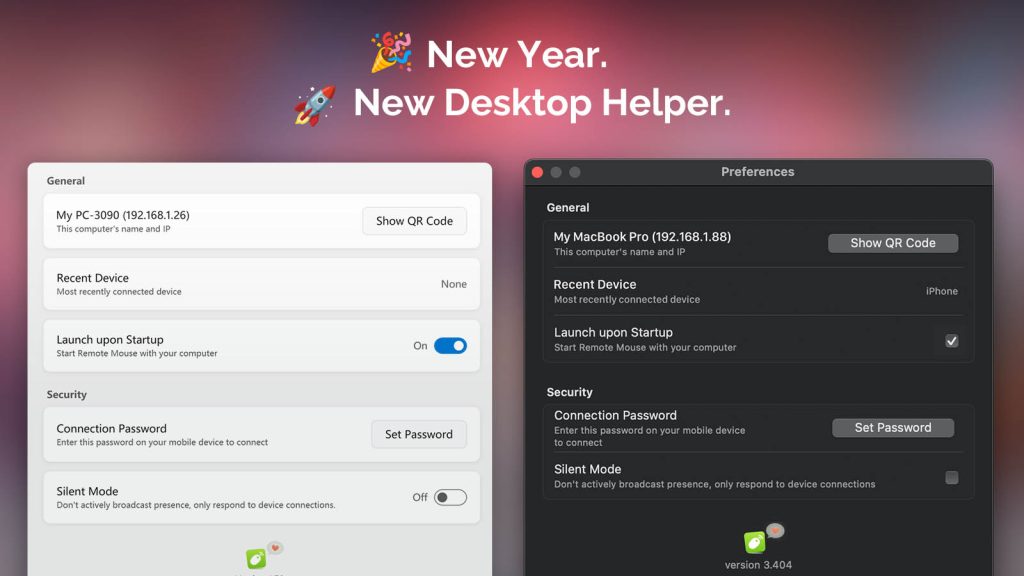
New Year, New Remote Mouse Desktop Helper 🎉

January 1, 2026 in What's New

Hello there,

How are you welcoming the New Year on your side of the world?

Are you counting down in the streets 🎆, hiking somewhere quiet 🥾, sharing a meal with friends 🍽️, or simply staying home with family?

Whether today feels special or just like an ordinary day, I hope this first day of the year finds you relaxed and in good spirits.

A Major Update to Remote Mouse Desktop Helper

As the year came to a close, Remote Mouse Desktop Helper received a major update for both Windows and macOS:

  • 🧩 A cleaner, more compact UI that makes options easier to find
  • 🎨 Visual refinements that better match the latest Windows 11 and macOS design trends
  • 🌍 Added multi-language support (with more languages coming soon)
  • ⌨️ Bug fixes that improve keyboard input and overall stability
  • 🔐 A new encryption mechanism for better security and reliability

Moving Forward, Together

The world is changing at an incredible pace, and Remote Mouse needs to evolve faster and smarter to keep supporting your daily workflow.

Thank you for being here. I hope we continue this journey together in the new year.

👉 Download the latest Remote Mouse Desktop Helper here.

Yao, Developer of Remote Mouse
Madrid · January 1, 2026

Remote Mouse and macOS Permissions: Why They’re Needed and How to Enable Them

December 9, 2025 in Troubleshooting

1. Why macOS Keeps Asking for Permissions

Starting with macOS Mojave, Apple began taking a very cautious approach to apps that can control your computer. Remote-control tools like Remote Mouse that can move the cursor, type, or trigger system actions now require explicit user permission to function.

2. What Remote Mouse Actually Needs and Why

Accessibility

Accessibility allows apps to perform input-related actions on your Mac.

Remote Mouse needs it for:

  • Move the cursor
  • Perform clicks and gestures
  • Type text from your phone or tablet
  • Trigger shortcuts or UI interactions

Automation → System Events

Automation lets an app perform certain system-level actions through macOS’s built-in service called System Events.

Remote Mouse needs it for:

  • Certain OS-level shortcuts
  • Media keys or playback controls
Continue reading »