

Remote Voice Typing is a convenient and surprisingly powerful way to enter text on your computer using your phone’s microphone. Instead of typing long paragraphs on a physical keyboard, you can simply speak naturally and let your phone handle the transcription in real time.
To get started, tap the voice input icon on the Remote Mouse keyboard and begin speaking into your phone. Your spoken words will instantly appear as text on your computer, making it ideal for quick notes, longer messages, or hands-free input.
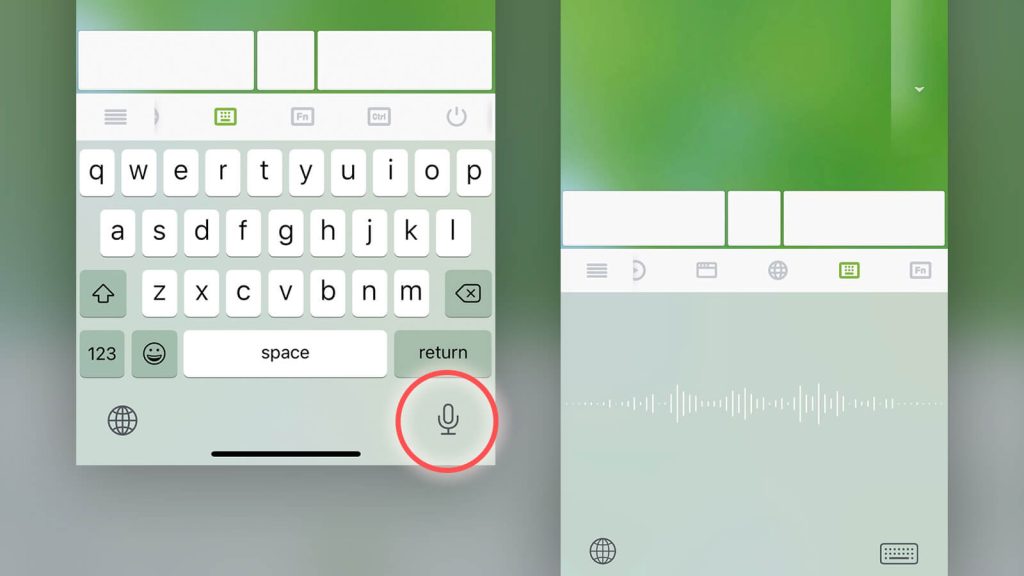
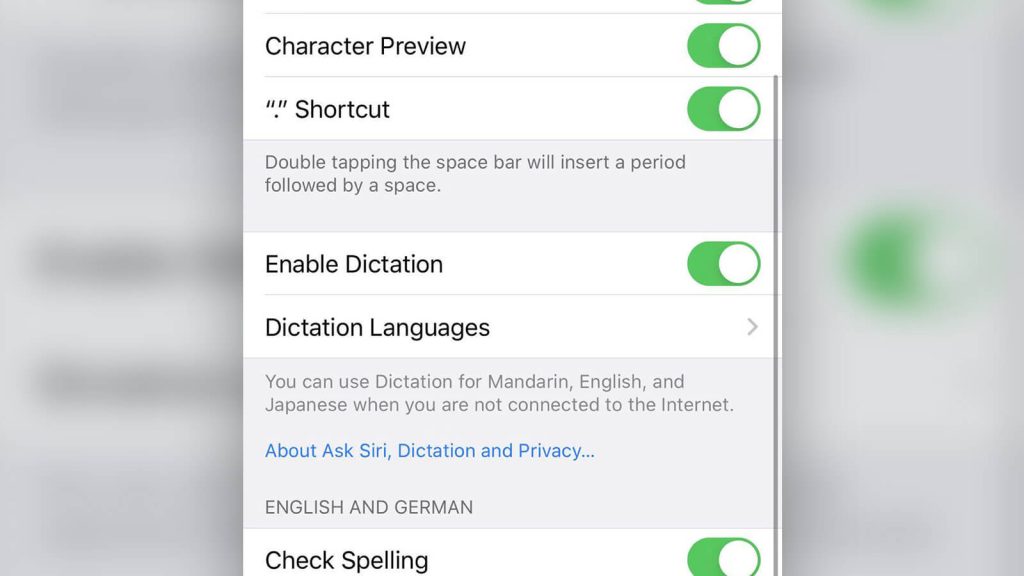
Before using this feature, make sure that voice dictation is enabled in your phone’s system keyboard settings, as Remote Voice Typing relies on your mobile device’s built-in speech recognition.
Practical Use Cases for Remote Voice Typing
Remote Voice Typing really shines in everyday scenarios where typing feels slow or inconvenient:
- Writing emails or messages
Dictate full emails, replies, or chat messages without touching your computer keyboard. This is especially useful when your hands are busy or you want to work more casually. - Taking quick notes or brainstorming ideas
Speak your thoughts as they come. Voice typing is often faster than typing when you’re capturing ideas, outlines, or to-do lists. - Presentations and document editing
While editing documents or slides, you can insert text, comments, or short paragraphs by voice, keeping your workflow fluid. - Accessibility and comfort
Voice input can reduce hand strain and offers a more accessible input method for users who prefer speaking over typing.
Better Results with the Right Mobile Keyboard
Remote Voice Typing uses the speech recognition provided by your phone’s keyboard, so accuracy and language support depend heavily on the keyboard you choose.
If you find the default keyboard limiting, consider trying a third-party keyboard with advanced voice dictation features, such as:
- Faster and more accurate speech recognition
- Better punctuation handling
- Support for multiple languages and accents
- Smarter sentence formatting
Using a high-quality keyboard can significantly improve dictation accuracy and overall typing experience when using Remote Voice Typing.